Language Bridge
Reading app for multilingual learners
Reading With Home-Language Support
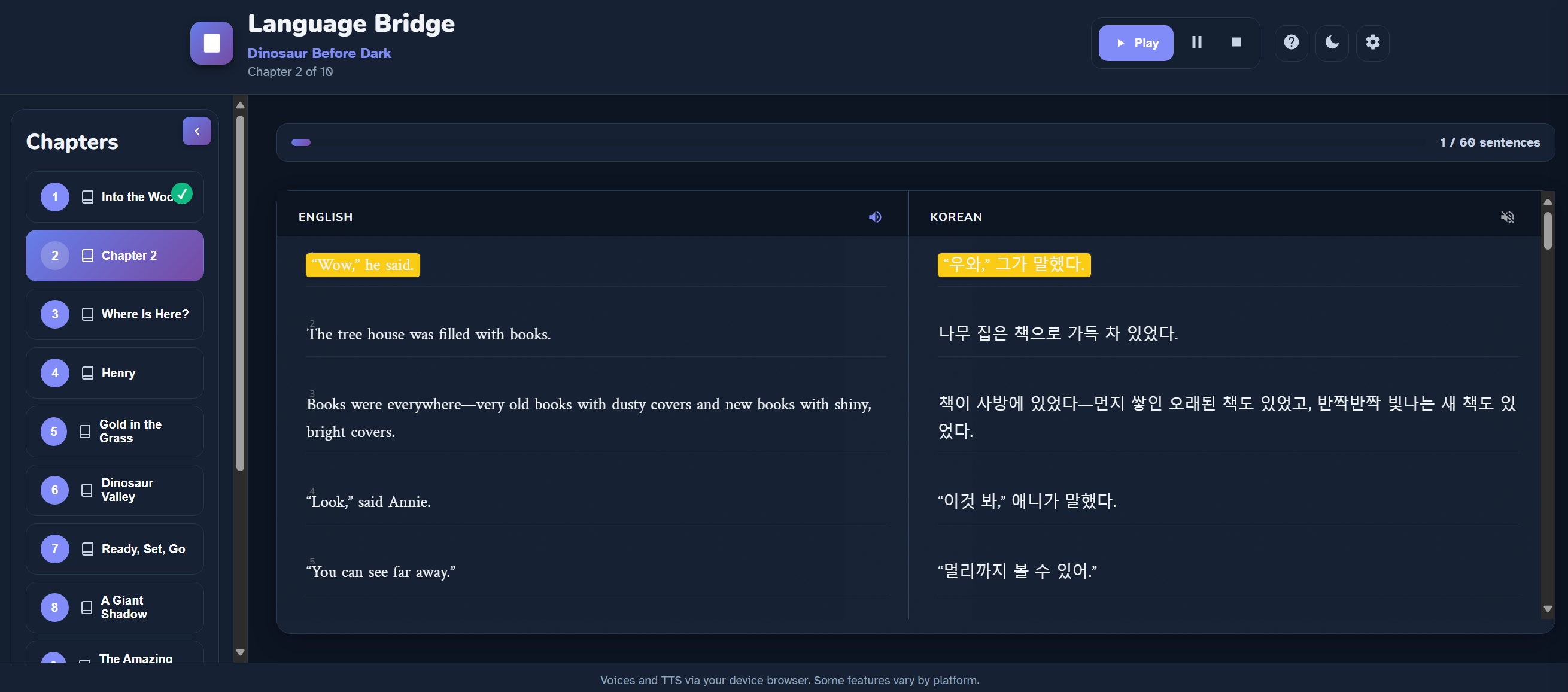
Newcomer students often need translation support to access grade-level content while they adjust to English instruction. In alignment with WIDA’s equity focus, this app honors students’ home languages by displaying side-by-side translations with text-to-speech. This also reduces the translation burden on classroom teachers and supports students who speak a language but cannot yet read it by allowing them to listen to the translation.
Access and Use
Core curriculum translations require login (password available to BSD students). Some class stories are available for general use. Best performance is in Microsoft Edge for more voice options and smoother playback.
Interactive Reading Experience
- Text-to-speech function highlights each word so learners can follow along
Educational Support
- Improves access to grade-level content immediately
- Builds comprehension and vocabulary faster
- Boosts confidence and engagement
- Strengthens language development, not just translation dependence
When students can toggle between languages and listen, they can compare structures and practice pronunciation/listening—useful for gradual movement toward more English.